
LiveHealth Online Mobile
American Well CorporationMedical
3.73.80K Reviews
- Version
- 20.05.0100
- Installs
- 500.00K
- Age Rating
- Everyone
Screenshots
Our Review of LiveHealth Online Mobile
 Analysis by Appyee
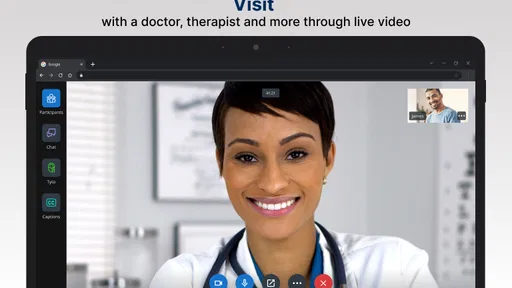
I tested LiveHealth Online Mobile as a medical app built around one simple idea: giving you a way to connect with a live doctor from a mobile device. That narrow focus is also its main appeal. Instead of treating the app like a general health library, I see it as a digital front door for people who want to speak with a clinician without beginning with a traditional in-person visit.
The app is developed by American Well Corporation and is available free of charge. It belongs to the medical category, carries an Everyone age rating, and has passed the point where it feels like an experimental newcomer: it was released on October 9, 2013, and has more than 500 thousand installs. Its average score is 3.7 from roughly 6.9 thousand ratings, with about 3.8 thousand written reviews. Those figures suggest a useful but mixed experience rather than a universally loved one.
My overall impression is that LiveHealth Online Mobile can be valuable when convenience matters more than having a full, long-term relationship with a local clinic. It is less convincing as a replacement for every kind of medical care. The important question is not simply whether it is free to install, but whether a live mobile consultation fits the kind of problem you are trying to solve.
How LiveHealth Online Mobile fits into everyday care
I look at this app as a practical first step when a health concern needs a real conversation, not another round of searching. Its mobile approach may help me fit that conversation into an ordinary day, but it works best when I already know what I want to explain and understand that remote care has limits. From there, the key question is how its current version fits into the wider care options I rely on.
A focused route to a live doctor
The app’s role is easy to understand. It gives mobile users a way to reach a live doctor, rather than asking them to search through articles or manage symptoms alone. That makes it different from a medication reminder, a fitness tracker, a symptom encyclopedia, or a patient-record viewer. Its value begins when you want a conversation with a clinician.
I find that distinction important because many health apps create the impression of activity without actually moving a care decision forward. Reading several pages about a headache may leave you more anxious than informed. A live consultation can be more useful when you need to explain what is happening, answer questions, and decide what to do next. The app is therefore best understood as a communication tool, not as a complete healthcare system in your pocket.
In a realistic everyday situation, imagine waking up with a problem that is uncomfortable but not obviously an emergency. You may be deciding whether to wait, contact a clinic, or seek immediate help. Opening the app can give you a practical next step: try to connect with a doctor and describe the situation directly. That does not guarantee that the consultation will resolve everything, but it can reduce the uncertainty that comes from guessing alone.
What the free price really means
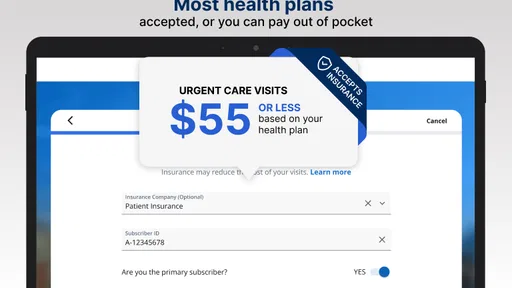
LiveHealth Online Mobile is free to download, which removes the first barrier for someone who wants to try a mobile doctor service. That is useful for comparing the experience with calling a clinic or looking for an alternative app. However, free access to an app should not automatically be interpreted as free medical care in every situation. The app’s download price and the cost of a consultation are separate questions, so I would check the terms shown during the sign-in or visit process before relying on it for a specific appointment.
This distinction is especially important for anyone choosing between digital care and a traditional visit. A free app can still lead to charges connected with care, coverage, or the way a consultation is arranged. I would not make a medical or financial decision based only on the fact that the application itself costs nothing. Its clear advantage is the absence of an upfront app purchase, while the total cost of using the service depends on the circumstances surrounding the visit.
That makes the app more attractive for exploration than for blind commitment. You can install it without paying for the software, inspect the available path to a doctor, and decide whether the process suits your needs. If you are comparing options for a family member, I would also look at how easily that person can complete the setup and whether the consultation route matches their coverage and care arrangements.
The practical value of speaking instead of searching
The strongest value here is not a large collection of content. It is the possibility of moving from uncertainty to a conversation. When a symptom is difficult to describe in a search box, being able to explain it in your own words can be a major advantage. A doctor can ask follow-up questions that a static article cannot, and that back-and-forth is where a live service earns its place.
I also see value in the app for people who have difficulty fitting a routine appointment into a busy day. A mobile consultation may be easier to consider when travel, waiting rooms, or a packed schedule are the main obstacles. That does not make it suitable for every complaint, but it can be a sensible first option for a non-urgent issue when you want professional input without immediately organizing an in-person visit.
Another useful trade-off is emotional. People sometimes delay care because they are unsure whether their concern is “serious enough” to justify contacting a clinic. A live doctor conversation can help turn that vague worry into a clearer plan. The app does not remove the need for judgment, but it may lower the effort required to ask for help.
Small preparation choices that can improve the experience
Before starting a consultation, I would prepare a short, factual summary rather than trying to remember everything under pressure. Note when the issue began, what changed, what makes it better or worse, and any relevant medicines or existing conditions. This is not a special feature of the app; it is a practical way to make a mobile appointment more efficient and less frustrating.
I would also use a quiet place and keep the phone steady. A live medical conversation depends on clear communication, so a noisy room or a weak setup can make the appointment feel less useful even when the app itself is working properly. Have questions ready, especially what you should do next and what signs would mean you need a different level of care.
A less obvious benefit of this preparation is that it helps you recognize when the app is not enough. If you cannot summarize the problem because it is rapidly worsening, severe, or accompanied by alarming symptoms, the priority should be urgent medical help rather than experimenting with a remote consultation. A convenient video or mobile visit should never become a reason to postpone emergency care.
Where the app is weaker than a regular clinic
The central limitation is the distance between a mobile conversation and a full examination. A live doctor can listen and guide you, but remote care cannot reproduce every part of an in-person visit. Some concerns require physical assessment, testing, procedures, or a clinician who already knows your medical history in depth. In those cases, the app may only be a starting point, and a traditional provider is the better destination.
Continuity is another consideration. If you already have a primary-care clinician who understands your history, that relationship can be more valuable than a one-off digital conversation. A regular clinic may also be better equipped to coordinate follow-up, review previous results, and manage a condition over time. LiveHealth Online Mobile makes the most sense when access and immediacy are the main problems, not when continuity is the main need.
The mixed average rating also deserves a realistic reading. A score of 3.7 indicates that many people find the app useful, but the experience is not consistently smooth for everyone. With a service that depends on account access, consultation availability, communication quality, and the medical situation itself, frustration can arise from more than one source. I would approach it as a helpful option with possible friction, not as a guaranteed instant solution.
How it compares with familiar alternatives
Compared with searching the web, the app has a clear advantage: it is designed to connect you with a live doctor rather than leaving you to interpret general information. Search results can be useful for learning vocabulary or preparing questions, but they cannot respond to your individual answers. For a person who is stuck between several possible explanations, a conversation is usually more actionable than another hour of browsing.
Compared with calling a local clinic, the advantage is convenience and a mobile-first route. A clinic may still win when you need a physical examination, established records, testing, or continuing treatment. I would choose the local provider when the issue is part of an ongoing condition or when the clinician needs information that is difficult to evaluate remotely.
Compared with other telehealth services, the most defensible reason to try this one is its straightforward focus on reaching a live doctor and its free app price. I would not assume that it offers the same coverage, appointment flow, specialties, or billing arrangements as another service. The better choice depends on what your healthcare system supports and whether you need a quick consultation or a longer-term care relationship.
Who is likely to get the most value
This app is a good candidate for adults who want a convenient first conversation about a non-urgent concern and who are comfortable using a phone for healthcare. It may also suit people who live far from a clinic, have difficulty arranging transport, or want to avoid making an unnecessary trip before receiving initial guidance.
It can be particularly useful for someone who tends to postpone calling because the problem feels inconvenient rather than dramatic. The ability to begin from a mobile device may make that first step feel manageable. Still, I would use it with a clear plan: describe the concern accurately, listen to the doctor’s recommendation, and follow through if the doctor says an in-person visit is needed.
I would be more cautious about recommending it as the main option for complex, persistent, or rapidly changing health problems. People who need regular monitoring, coordinated specialists, testing, or a detailed review of long medical records may get better value from an established healthcare provider. The same applies to anyone who is uncomfortable explaining symptoms through a mobile consultation or who needs hands-on care.
Device and version considerations
The current version is 20.05.0100, and the app requires Android 8.0 or later. That makes the operating-system requirement relevant if you are using an older phone. Before depending on it for a time-sensitive consultation, I would install it in advance, complete the basic setup, and make sure the device is comfortable for a live conversation.
That advance check is one of my strongest practical recommendations. A medical app is not something I want to troubleshoot for the first time while feeling unwell. Testing the sign-in path, checking that the phone can handle the consultation environment, and keeping the device charged can prevent avoidable stress. If the app does not suit your phone or your connection, knowing that early gives you time to contact a clinic or use another appropriate route.
My verdict on whether it is worth using
I would recommend trying LiveHealth Online Mobile if you want a free-to-install way to explore mobile access to a live doctor and your situation is suitable for remote care. Its value comes from reducing the effort between a health concern and professional conversation. That is a meaningful benefit, especially when the alternative is delaying care or relying on impersonal online searches.
I would not present it as a universal substitute for a doctor’s office, emergency service, or ongoing primary care. The app cannot remove the limitations of remote assessment, and the free download does not by itself establish the total cost of a consultation. Those are not reasons to dismiss it; they are reasons to use it with realistic expectations.
My final judgment is cautiously positive. LiveHealth Online Mobile is most worthwhile as a convenient first contact, not as a complete healthcare replacement. Install it if mobile access could make you more likely to seek timely advice, prepare your information before connecting, and verify the consultation cost and next steps during the process. Skip it if you already know you need physical examination, urgent treatment, or close long-term follow-up. For the right situation, this focused medical app can turn a difficult first step into a much more manageable one.
Verdict
Strengths of LiveHealth Online Mobile
- Virtual visits available without traveling to a clinic.
- Supports consultations with several types of healthcare providers.
- Appointment scheduling is convenient through the mobile app.
- May help reduce exposure to crowded waiting rooms.
- Useful for follow-up care and non-emergency health concerns.
Limitations of LiveHealth Online Mobile
- Not suitable for emergencies or conditions needing an in-person exam.
- A stable internet connection and compatible device are required.
- Some services may depend on your insurance plan or location.
- Video quality can affect how clearly symptoms are assessed.
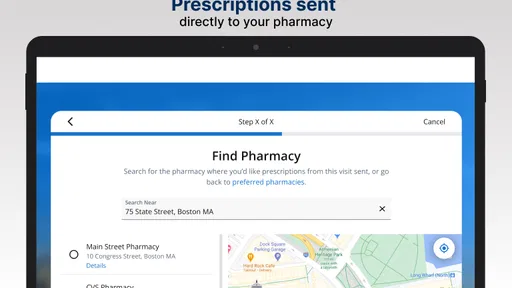
- Prescriptions and referrals are not guaranteed after every visit.
Similar Picks in This Category
View All
WebMD: Symptom Checker
WebMD, LLC4.1

Microphone Amplifier
DOSA Apps4.2

Anatomy Learning - 3D Anatomy
3D Medical OU4.5

Period Tracker and Calendar
SimpleInnovation4.9

GoodRx: Prescription Coupons
GoodRx4.8

CVS Health
CVS Pharmacy4.5
Frequently Asked Questions
What is LiveHealth Online Mobile, and what can I use it for?
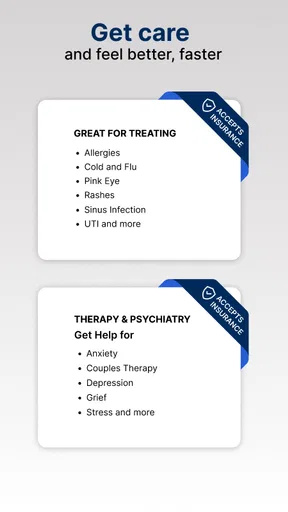
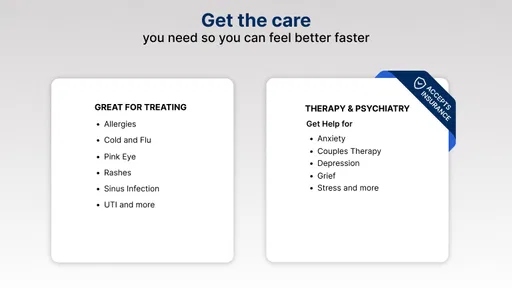
LiveHealth Online Mobile is a telehealth app that lets you connect with participating doctors and healthcare professionals through your smartphone or tablet. Depending on your plan, location, and provider availability, you may use it for non-emergency concerns such as colds, allergies, minor infections, skin problems, and general health questions. It is not intended to replace emergency medical services or in-person care when a physical examination is necessary.
Do I need health insurance to use LiveHealth Online Mobile?
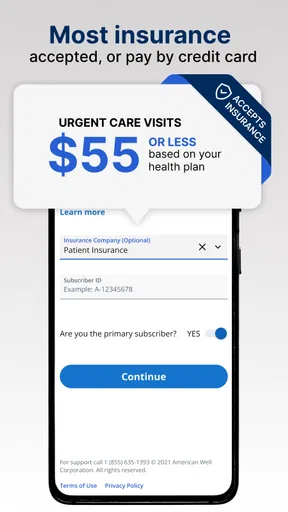
You may be able to use LiveHealth Online Mobile without health insurance, although pricing and eligibility can vary depending on your state, employer, health plan, and the type of appointment selected. Insured users should check whether LiveHealth Online is included in their benefits and confirm any copay or out-of-pocket cost before starting a visit. The app generally displays available payment or coverage information during registration or scheduling.
How does a virtual appointment work in the app?
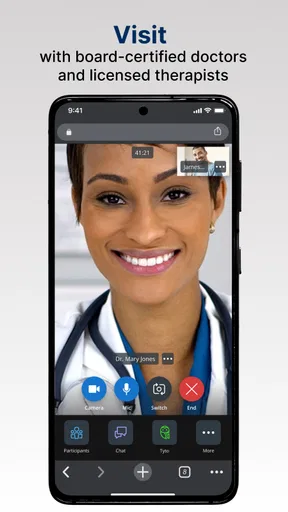
After creating an account, you typically provide basic personal and health information, choose an available provider, and select whether to start a visit immediately or schedule one for later. During the appointment, you communicate by secure video or another supported method. A reliable internet connection, working microphone, and camera are recommended. The provider may discuss symptoms, offer guidance, prescribe medication when appropriate, or recommend in-person follow-up.
Can LiveHealth Online Mobile prescribe medication or treat emergencies?
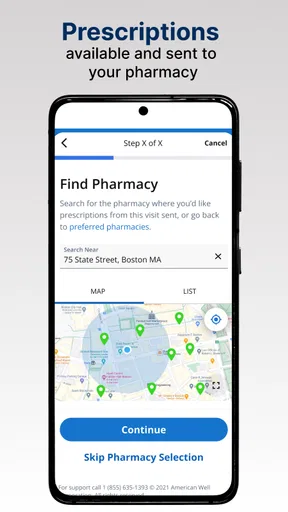
A provider may prescribe certain medications when clinically appropriate, but prescriptions are not guaranteed and some medications or conditions may require an in-person evaluation. The service is designed for routine, non-emergency medical needs rather than severe or life-threatening situations. If you experience chest pain, difficulty breathing, serious injury, sudden weakness, severe allergic reactions, or another emergency, call local emergency services or go to the nearest emergency department immediately.
What should I check before downloading LiveHealth Online Mobile?
Before downloading, confirm that the service is available in your location and that your health plan or employer supports it if you expect to use insurance benefits. Review the app’s device requirements, privacy information, provider availability, and current visit fees. You should also have a compatible Android or iOS device, a stable internet connection, and a private place for appointments. Availability and features can change, so verify the latest details in the official app listing.
